You need an Admin login before following this guide. By default, an application needs an API Token, client certificate and matching private key to read configuration.
- The Token grants access to environments.
- The client certificate and private key identify the caller. This two-way certificate verification is called mTLS and is enabled by default.
- A CA, or certificate authority, signs client certificates. An administrator usually creates it; each application does not need its own CA.
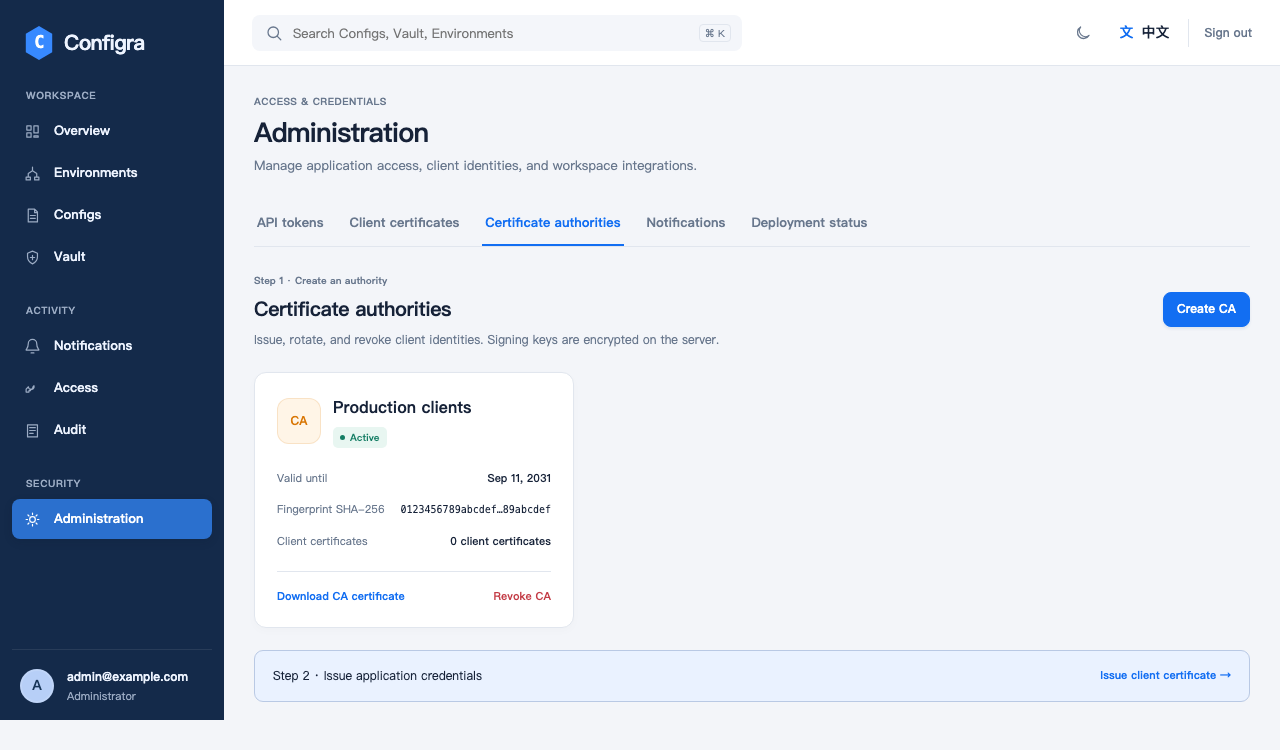
1. Create a CA
Open the certificate page in Administration and create a client CA. Its lifetime defaults to five years, with a ten-year maximum.
The first successful creation offers a backup ZIP with the CA public certificate and private key. Save it to a protected location if you need this backup. Once the export dialog is closed, only the public certificate can be downloaded again.
Online issuance still works if you did not download the backup: Configra retains the CA private key encrypted in MySQL and decrypts it using the external Master Key. Do not distribute the CA private key to applications. It is for signing and recovery.
2. Issue a certificate for the application
Select the CA and issue a separate client certificate for the application. The default lifetime is 90 days, at most one year, and cannot exceed the CA’s expiry.
Download the first export ZIP and keep client.crt and client.key. These are the application’s identity files. Configra does not retain the client private key. If it is lost, neither another download nor a retried creation request can recover it; revoke the old certificate and issue a new one.
Certificates use ECDSA P-256 and private keys use PKCS#8. The Configra SDK accepts these formats without manual conversion.
3. Create a Token and supply the files
In Administration’s API Token page, create a Token and choose the environments the application needs, such as development. Keep the default client-certificate requirement and select a suitable expiry.
Save the Token when it is first displayed. The application generally needs:
| Setting or file | Where it comes from | Purpose |
|---|---|---|
| API address | The Configra operator | HTTPS read endpoint, not the workspace address |
| Token | Shown when the API Token is created | Environment access; it can be stored in a separate text file |
client.crt, client.key |
First client-certificate export | Client identity |
| Server CA public certificate, if needed | API server certificate issuer or operator | Verifies a server using an internal CA |
There is no required directory name. Use your deployment system to supply the files, restrict access to the application user, and keep them out of Git. Continue with the Go SDK or Kubernetes guide.
Expiry, replacement and revocation
Before expiry, issue a replacement, deploy it and confirm reads succeed, then revoke the old certificate. With the SDK’s file-based initialization, rebuild the Client after replacing files. See SDK rotation for the advanced live-rotation option.
Revocation is permanent. Revoking a CA prevents reads by its clients, including certificates signed offline and later imported. Every read checks status, so an existing TLS connection cannot bypass revocation.
Revocation prevents later reads; it cannot recall configuration already delivered or synchronized to Kubernetes.
When the service runs in Kubernetes
CA data lives in MySQL, not Pod memory or temporary files. A Pod restart alone does not lose it, but every replica needs the same database and Master Key.
The API refreshes its client-CA list roughly every five seconds. After creating a CA, existing API replicas may temporarily report unknown certificate authority; allow a refresh interval before retrying. Another certificate from an already trusted CA does not need this CA refresh. If rejection continues, check CA/certificate validity and API trust-refresh warnings. Do not disable certificate verification or repeatedly create CAs.
Back up the database and protect the original Master Key separately. A database backup alone cannot decrypt CA private keys or sensitive values. Do not put both in one archive or protect both with the same access credentials.
What is not included
This feature manages client certificates. It does not issue the API server’s HTTPS certificate, deploy renewed certificates into applications, restart processes or configure expiry alerts. Hardware security devices and cloud KMS custody are not implemented.