Create configuration
Start after the local quickstart, or with an existing Configra login.
Create an Environment, then save YAML or JSON in Configs. Put ports and log levels directly in the document. Store shared passwords in Vault and refer to them from the Config.
Replace postgres.internal below with the application’s database address. The references require fields in platform.database with values assigned to the selected environment:
server:
  port: 8080
  log_level: info
database:
  host: postgres.internal
  username: '{vault.platform.database.username}'
  password: '{vault.platform.database.password}'
Check the selected environment so a test edit does not change production. Use history to review changes. When copying configuration to another environment, also supply its referenced Vault values; copying a Config does not automatically copy every password.
Choose field types
- Text: usernames and ordinary textual values.
- Secret: passwords and credentials requiring an explicit reveal action.
- File: certificates or other content whose original bytes must be preserved.
Sensitive values stay hidden until you choose to reveal them. Reads produce Access events, but failed delivery can lose those records. Do not treat them as a guaranteed record of every read, or put real passwords in screenshots and issues.
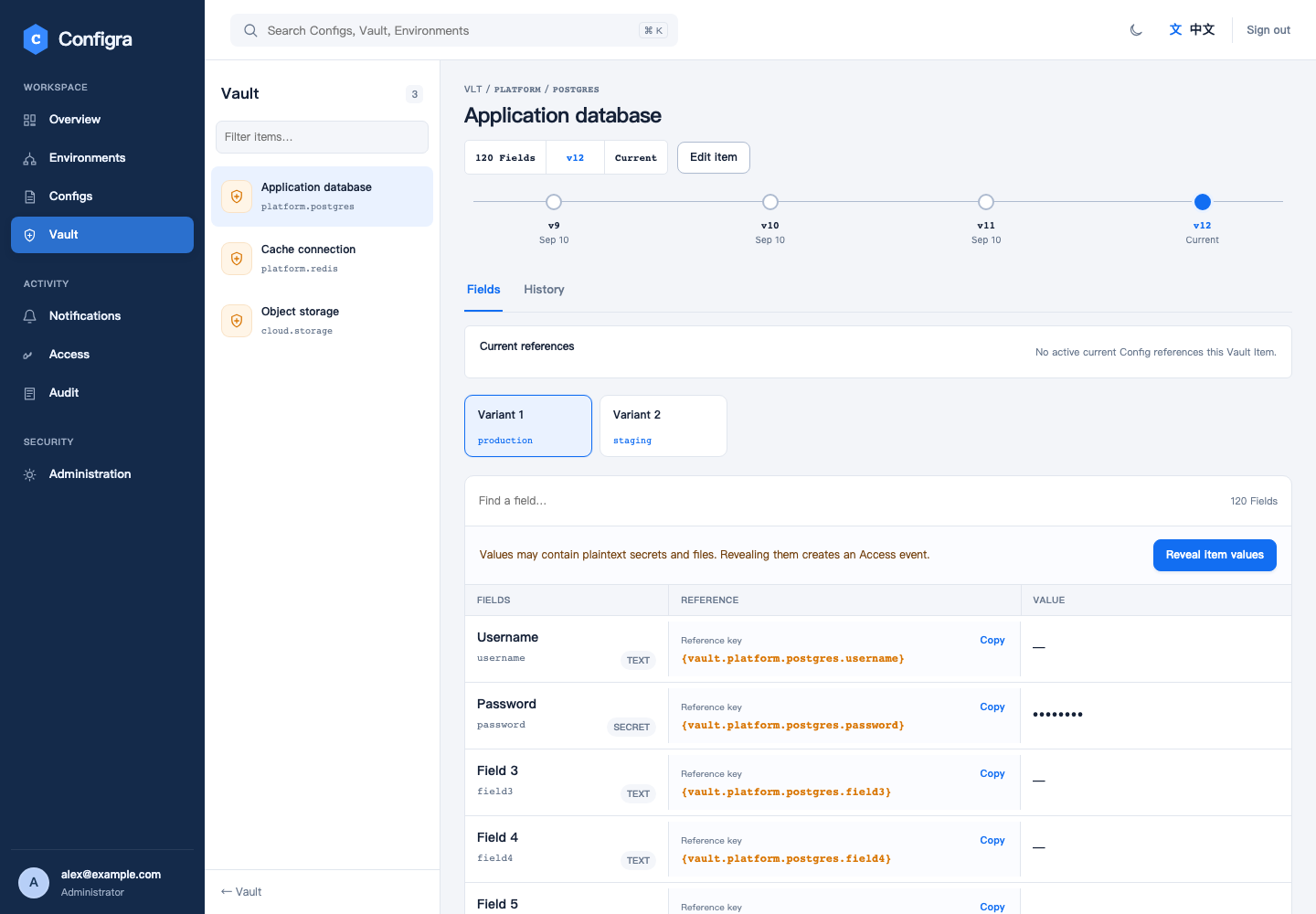
Demo data: references and revisions are visible; sensitive values remain hidden.
Apply changes to applications
A successful save does not mean a running application is using the new value. Later reads receive changed content. How the application notices and adopts it depends on its reading method:
| Consumer | Required action |
|---|---|
| Direct Go reads | Fetch again, parse and apply |
| Viper Watch | Start Watch; handle application-state changes in the callback |
| CSI files | Enable driver rotation and make the application reread files |
| Native Secret / ConfigMap volume | Wait for Kubernetes propagation and reread; avoid subPath when refresh is required |
| envFrom | Replace the Pod so the new process reads new environment variables |
History and rollback
Use history to inspect and compare saved revisions. To roll back, save the reviewed old content as a new current revision and check that consumers receive and apply it.
Config references resolve current Vault values. Restoring old Config text does not restore the Vault values used at that historical moment. Coordinate related field changes and verify the resolved result.
Limits and failures
Standard Config / File reads allow up to 5 MiB; Kubernetes integrations use smaller limits. Fix missing references, invalid formats or grants at their source. Disabling TLS verification is not a recovery method.
Vault Namespaces organize items; they do not narrow a Token’s environment-wide permissions.